
No products in the cart.

WhatsApp & Video Calls on a SIM Smartwatch: Your Ultimate Guide
Introduction: Stay Connected from Your Wrist
In today’s fast-paced world, a smartwatch is no longer just about fitness tracking.
Many Indians now want a smartwatch with WhatsApp and video call support
that works even without a phone. With brands like Flexnova bringing
advanced standalone smartwatches
to the market, you can now send messages, make calls, and even enjoy WhatsApp video
calls directly from your wrist. This guide will walk you through everything you need
to know about using WhatsApp and making video calls on a SIM-enabled smartwatch.
Why Choose a Smartwatch with WhatsApp and Video Call?
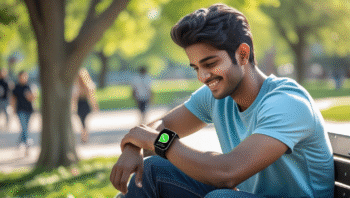
A smartwatch with WhatsApp and video call functionality is a game changer.
Instead of pulling out your phone every few minutes, you can stay in touch with friends,
family, or colleagues right from your wrist. For students, this means staying connected
during classes or travel without distraction. For professionals, it’s a great way to
handle urgent messages or calls on the go.
- Convenience: Reply to WhatsApp messages instantly.
- Hands-free calling: Answer calls while driving or walking.
- Video calls: Stay visually connected without carrying a phone.
- SIM support: A 4G SIM card lets the smartwatch work independently.
According to a recent guide by Bajaj Finserv,
demand for smartwatches with SIM cards in India has doubled in the past two years.
Suggested Image: Indian college student using a smartwatch with WhatsApp chat open.
How to Use WhatsApp in a Smartwatch
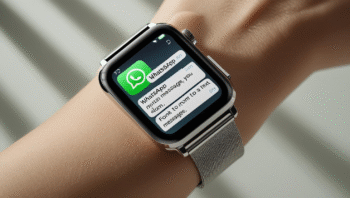
Many users search “how to use WhatsApp in smartwatch” or
“smart watch me WhatsApp kaise chalaye.” The good news is that most
calling smartwatches today
make this process simple.
Step-by-Step Setup
- Insert a 4G SIM card into your smartwatch.
- Connect to Wi-Fi or enable mobile data.
- Go to the app store (Google Play for Wear OS smartwatches).
- Download and install the WhatsApp app.
- Log in with your mobile number and verify via OTP.
- Start sending and receiving messages directly from your smartwatch.
WhatsApp’s official support page
confirms that messaging is supported across devices, making it easier to connect
on smaller screens.
Suggested Image: Close-up photo of a smartwatch showing WhatsApp notifications.
How to Make Video Calls on a Smartwatch

Many ask: how to make video call on smartwatch? The answer depends
on whether your smartwatch has a built-in camera. Flexnova’s latest models, for example,
feature a front-facing camera specifically designed for video calling.
Making a Video Call
- Open WhatsApp or another video-calling app like Zoom or Google Meet.
- Select the contact you want to call.
- Tap the video call button.
- Use the smartwatch camera and microphone for real-time communication.
If your smartwatch doesn’t have a camera, you can still receive video calls, but
you’ll only hear audio. A YouTube demo
shows how this works in practice.
Suggested Image: Young professional making a WhatsApp video call on a smartwatch with SIM card.
Best Smartwatches with SIM and Calling Function in India
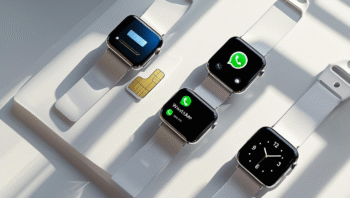
When buying a smartwatch with SIM card and calling function,
consider battery life, camera quality, and app compatibility. Flexnova offers
a range of SIM-enabled
smartwatches designed for Indian consumers who want seamless connectivity.
Key Features to Look For
- 4G SIM support: Ensures fast internet and smooth calls.
- Front-facing camera: Essential for WhatsApp video calls.
- Long battery life: At least 2–3 days on regular use.
- Compatibility: Works with WhatsApp, Zoom, and other apps.
- Durability: Dust- and water-resistant designs for everyday wear.
For more recommendations, see our guide on
best smartwatches for calling.
Suggested Image: Product flat lay of 3–4 smartwatches showing SIM card slots and WhatsApp screen.
Troubleshooting WhatsApp & Video Call Issues
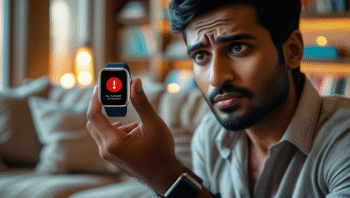
Sometimes, your smartwatch may not connect properly. Here are common issues
and quick fixes:
Common Problems & Solutions
- WhatsApp not installing: Check if your smartwatch runs on Wear OS or supports app downloads.
- No video call option: Confirm your watch has a camera.
- Laggy calls: Switch to Wi-Fi or ensure strong 4G signal.
- Battery drain: Reduce screen brightness and close unused apps.
If issues persist, restarting the smartwatch usually solves temporary bugs.
Suggested Image: User holding a smartwatch with an error screen, looking for troubleshooting tips.
Conclusion: The Future of Communication on Your Wrist

With a smartwatch with WhatsApp and video call support,
you’re no longer tied to your smartphone. From replying to messages to
face-to-face video chats, Flexnova smartwatches are helping Indians embrace
truly mobile communication. Whether you’re a student looking for convenience
or a professional needing constant connectivity, a SIM smartwatch with WhatsApp
and calling features is a worthy investment.
CTA:
Find the perfect calling smartwatch with video call and WhatsApp support in our collection.
FAQs on Smartwatch with WhatsApp and Video Call
1. Can I use WhatsApp in any smartwatch?
No, only smartwatches with SIM cards or Wear OS support allow
full WhatsApp functionality. Basic fitness bands won’t support it.
2. How do I make a video call from my smartwatch?
Open WhatsApp, select your contact, and tap the video call icon. Your smartwatch
must have a built-in camera for this to work.
3. Is a smartwatch with SIM better than a Bluetooth-only smartwatch?
Yes, a standalone smartwatch with SIM can function without
your phone, unlike Bluetooth-only models that need constant pairing.
4. Does video calling on a smartwatch consume a lot of data?
Yes, video calls use significant mobile data, just like on smartphones.
A stable 4G connection is recommended.
5. Which is the best smartwatch with calling function in India?
Check our curated list of
best smartwatches for calling
to compare features and prices.


Add comment
You must be logged in to post a comment.